For operators · free to apply
Real remote roles. Long engagements.
Bilingual in English and Spanish? Build your profile, take the tests, and apply to roles matched to your skills.
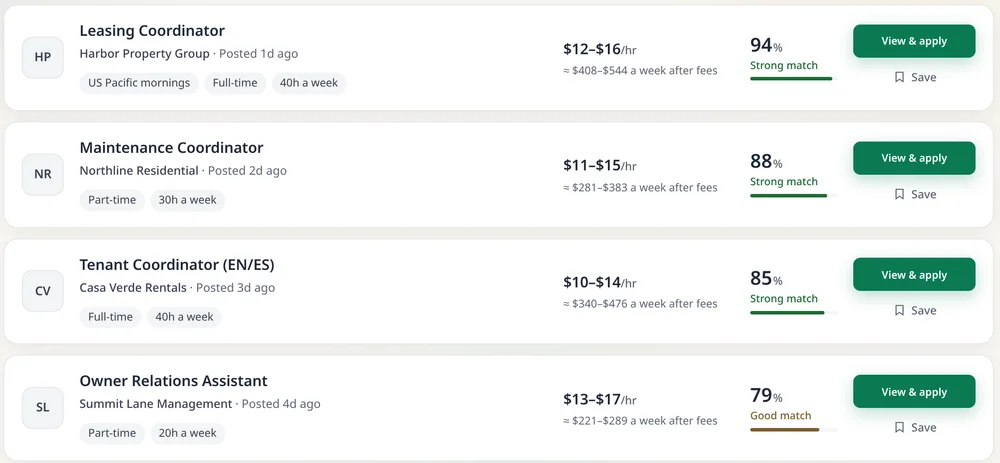
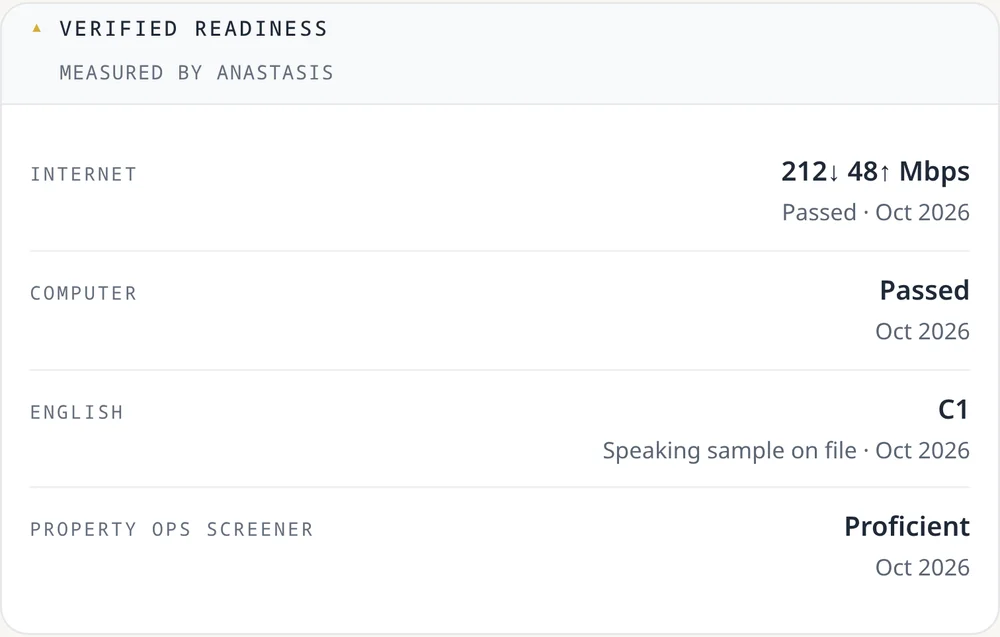
The real job board · example roles, not live openings
Work in the software property teams use








 Microsoft 365
From sign-up to your first role.
Register
Name, email, country and a password. Verify your email in one click.
Build your profile
About you, your work style, a short intro video and your documents. Everything saves as you go.
Take the tests
A timed skill test and an English test. Clients see your results.
Apply and get hired
Apply in one click. You’re paid after the client approves each week.
Why operators stay.
- Weekly pay, on timeApproved every Monday, even if a client forgets to review. Payouts are aimed at Friday.
- Paid holidaysWhen your client’s policy includes them, holidays are paid automatically.
- Raise check-insAt 6 months and every year, we prompt your client to review your rate.
- Bonuses from clientsEach month we remind clients to thank standout work, and they can add a bonus at every review.
- Free profile reviewOur Operator Success team reads your profile and tells you what to improve.
- A reference you keepLeave a long engagement well and earn a verified record plus a recommendation letter.
- Paid trialsTrials are paid at your full rate, never free test work.
- Refer and earnGet a cash bonus when a friend you refer is hired and finishes their first month.
- Long engagementsMulti-month roles with clear scopes. No bidding wars.
- Your results speakClients see your test scores, not just your résumé.
- See your take-home payEvery role shows your weekly pay after fees.
Questions.
What does it cost to apply?
Nothing upfront. Once you earn, a 15% platform fee comes out of approved earnings. It covers the tracking app, payouts, dispute handling and support.
How long does setup take?
Registering takes minutes, and you can apply as soon as your profile basics are in. The rest (work style, tests, intro video and ID) can wait. Progress saves, and your profile goes live by itself when it’s done.
Do I have to pass the tests?
There’s no pass mark. Clients see your results, so take them when you can give them your full attention.
How do payouts work?
Through a secure payout account hosted by our payout provider. Payouts target Friday, after the client approves your week.
What about tax forms?
US contractors sign a W-9 and everyone else a W-8BEN, in a pop-up during setup. Nothing to download or upload.
Create your operator profile.
Minutes to register, then set up at your own pace.